10 free tools. Zero signups. Your files never leave your browser.Open the Viral Lab →
If you are comparing Cowral and Buffer Create, you are probably stuck on the same wall most video creators hit. You can film. You can edit.
If you are comparing Cowral and Buffer Create, you are probably stuck on the same wall most video creators hit. You can film. You can edit. What eats your week is everything before that: figuring out what to post, whether the idea is already dead by the time you get to it, and how to turn one good idea into something that works on TikTok and Instagram and LinkedIn without rewriting it three times from scratch.
Here is the thing people get wrong about this matchup. Cowral and Buffer Create are not really the same product wearing different logos. They solve different halves of the problem, and if you buy one expecting the other’s job, you will feel let go down.


We spent real time inside both. Below we compare them across the five things that matter for a video creator: idea generation, niche trend discovery, script and hook writing, scheduling and publishing, and pricing. No fake feature parity, no pretending one tool does something it does not. Where Buffer is the better call, we say so.
Here is the short version first.
If your actual problem is figuring out what to post and turning it into scripts that fit every platform, that is the gap Cowral was built for. Try the free tier, no card needed.
Now the detail, because a table flattens things that deserve nuance.
Both tools have a button that says some version of “generate ideas.” That surface-level similarity hides a real difference in what each one is trying to do for you.
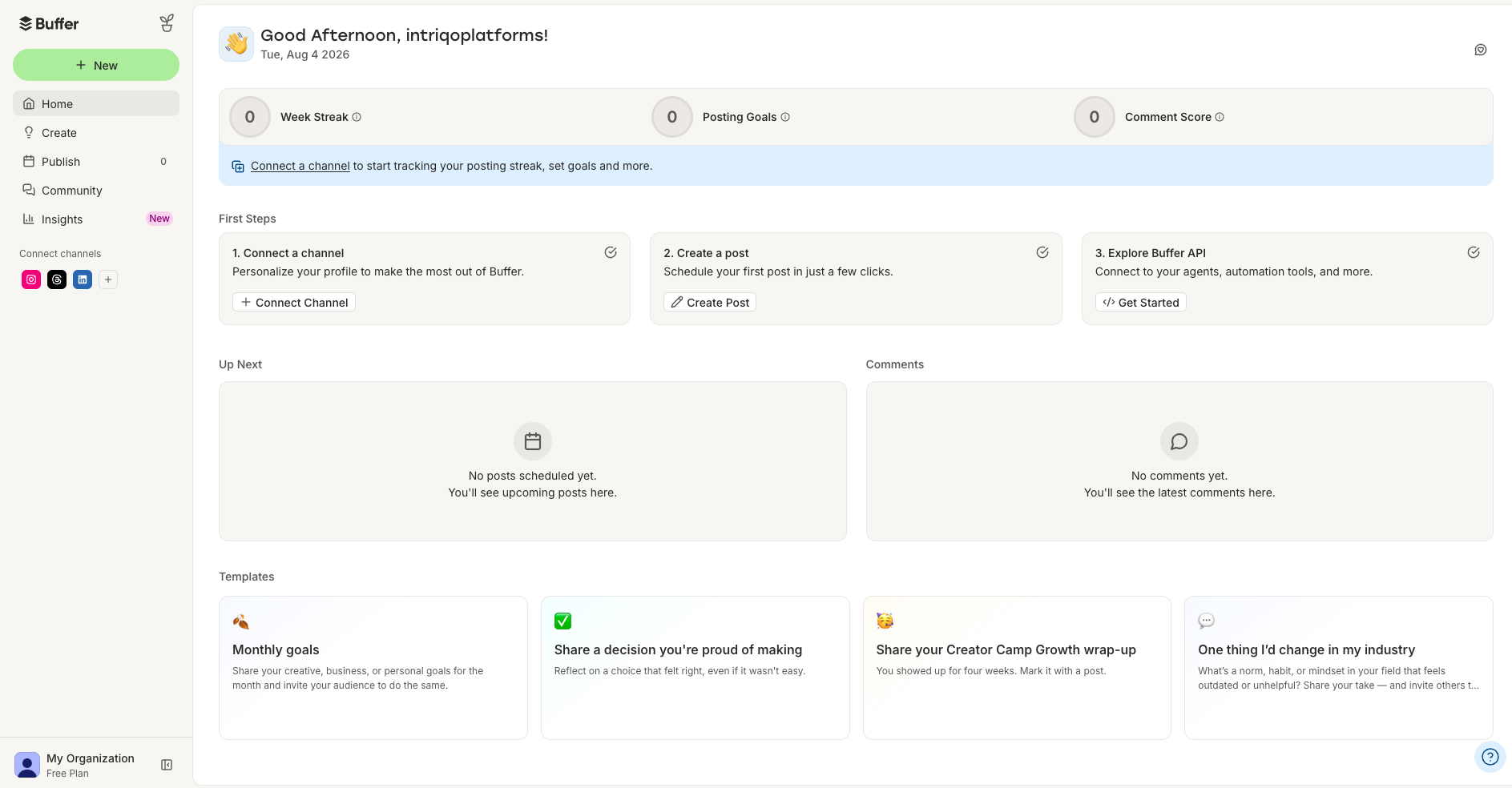
Buffer’s idea generation lives in the Create space. You tell it a little about your business and who your target audience is, and it generates suggestions you can save as ideas to write around later. According to Buffer’s own help center, the ideas are not tied to a specific social channel at that stage, they are brainstorm starters. The free plan includes a bank of 100 content ideas, and the AI Assistant that helps expand them is unlimited on every plan.
This is useful when you are staring at a blank calendar and need something, anything, to react to. It is a genuine unblock. The honest limit is that these are evergreen prompts. Buffer is not checking whether the angle is fresh, whether it is peaking, or whether every other account in your space posted it last week. As one 2026 review of Buffer’s AI put it, the output leans generic and works best as a first draft rather than a finished post. For a lot of small accounts, a generic starter is exactly the wall they were already stuck at.
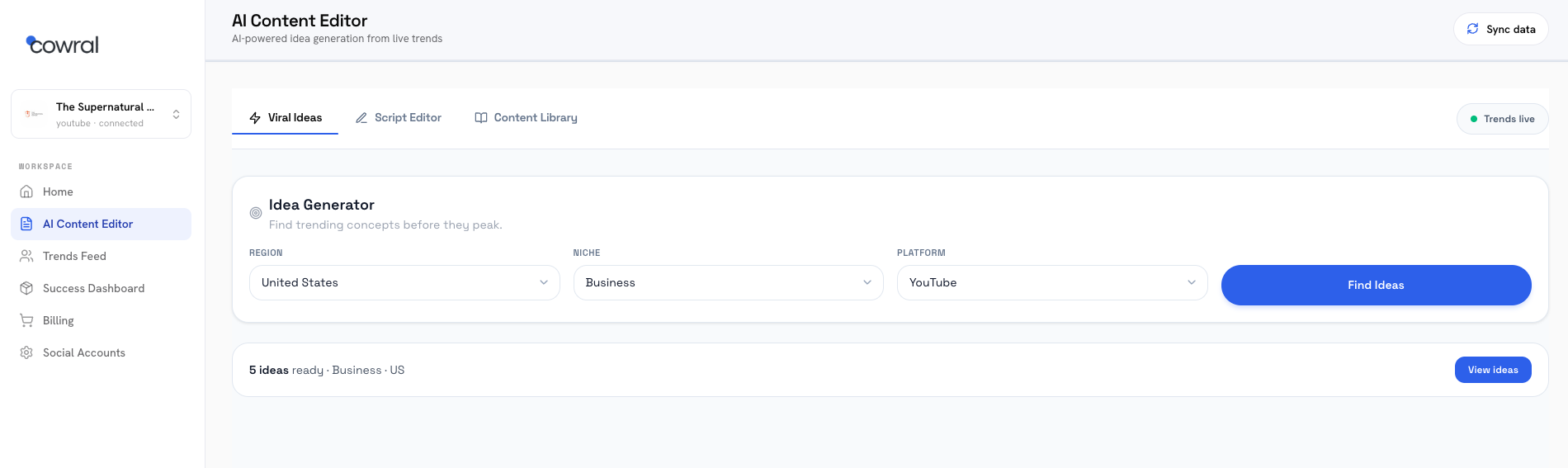
Cowral’s idea generator is pointed at a narrower job: helping a creator who posts video decide what to make next. You give it your niche, and instead of broad brainstorm prompts, it builds ideas off what is actually moving inside that niche right now. The bet baked into the product is that the hard part is not generating any idea, it is generating the right idea before the window closes.
That matters more than it sounds. Under how distribution works in 2026, a weak or late post does not just underperform, it can train your own followers to skip you, which quietly drags down the reach of everything you post after it. So the value of an idea generator is not volume of ideas. It is hit rate. Cowral is built for hit rate in a specific niche, where Buffer is built for breadth across any industry.
If you want a quick unblock and you already have a decent sense of what performs in your space, Buffer’s idea tool does the job and it is free and unlimited. If your real problem is that you keep posting things that land flat because you are guessing at what is fresh, a niche-and-trend-aware generator is the more direct answer, and that is the lane Cowral was built for.
This is where the two tools stop overlapping entirely, so it is worth being blunt.
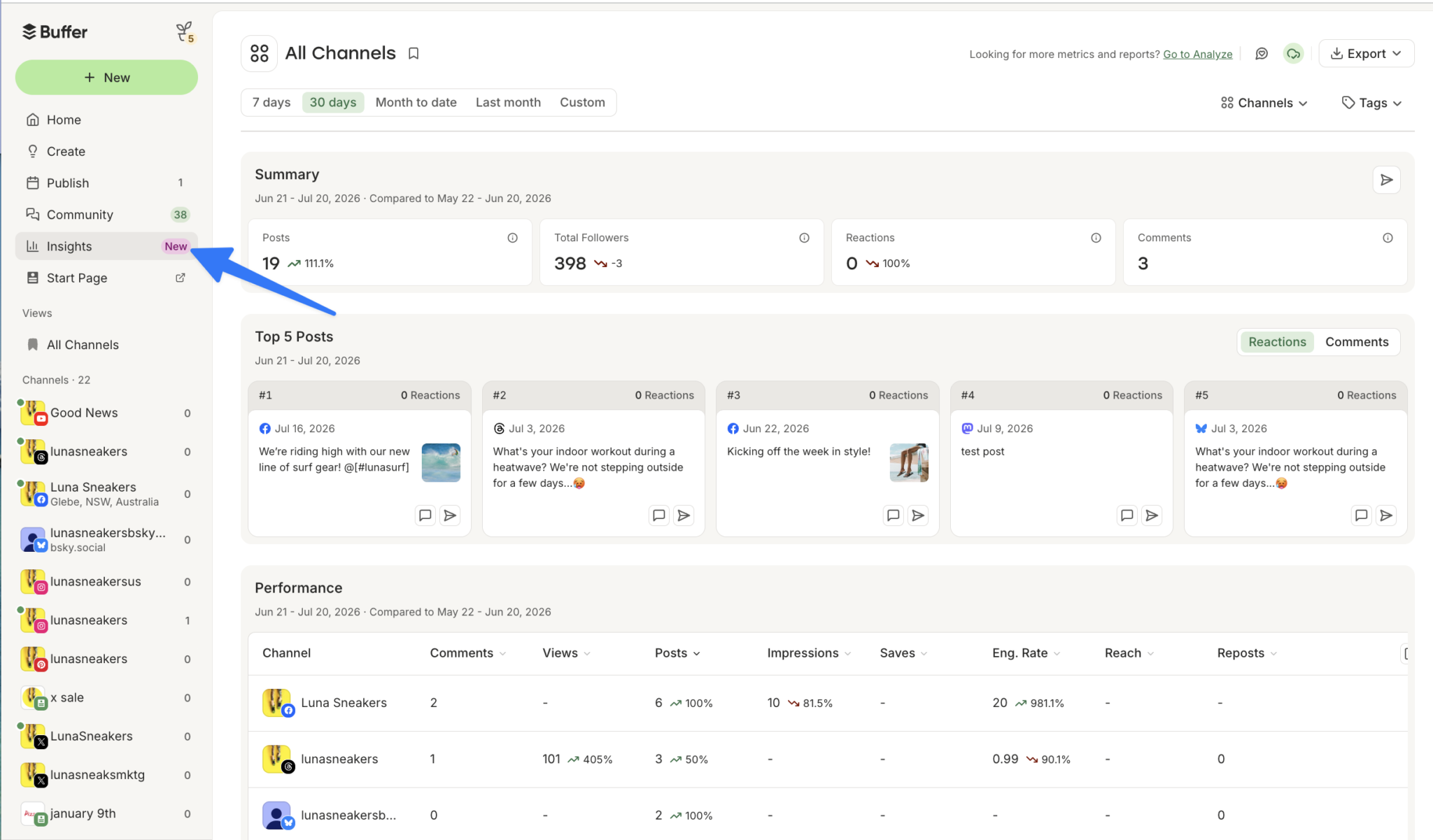
Buffer does not do trend discovery. There is no viral-content detection, no niche monitoring, and its analytics only cover your own posts, not competitive or market data. Buffer’s own review coverage confirms there is no RSS integration, no content suggestion engine, and no trending-topic feature, which means you have to find content ideas elsewhere and bring them to Buffer. That is not a knock on Buffer for being bad at its job. Trend discovery was never its job. It is a scheduler with a writing assistant bolted on, and it is honest about that.
The practical consequence: if knowing “what is rising in my niche this week” is the thing standing between you and growth, Buffer leaves that entirely to you. You do the scrolling, the pattern-spotting, the guessing. Buffer just holds the queue once you have decided.
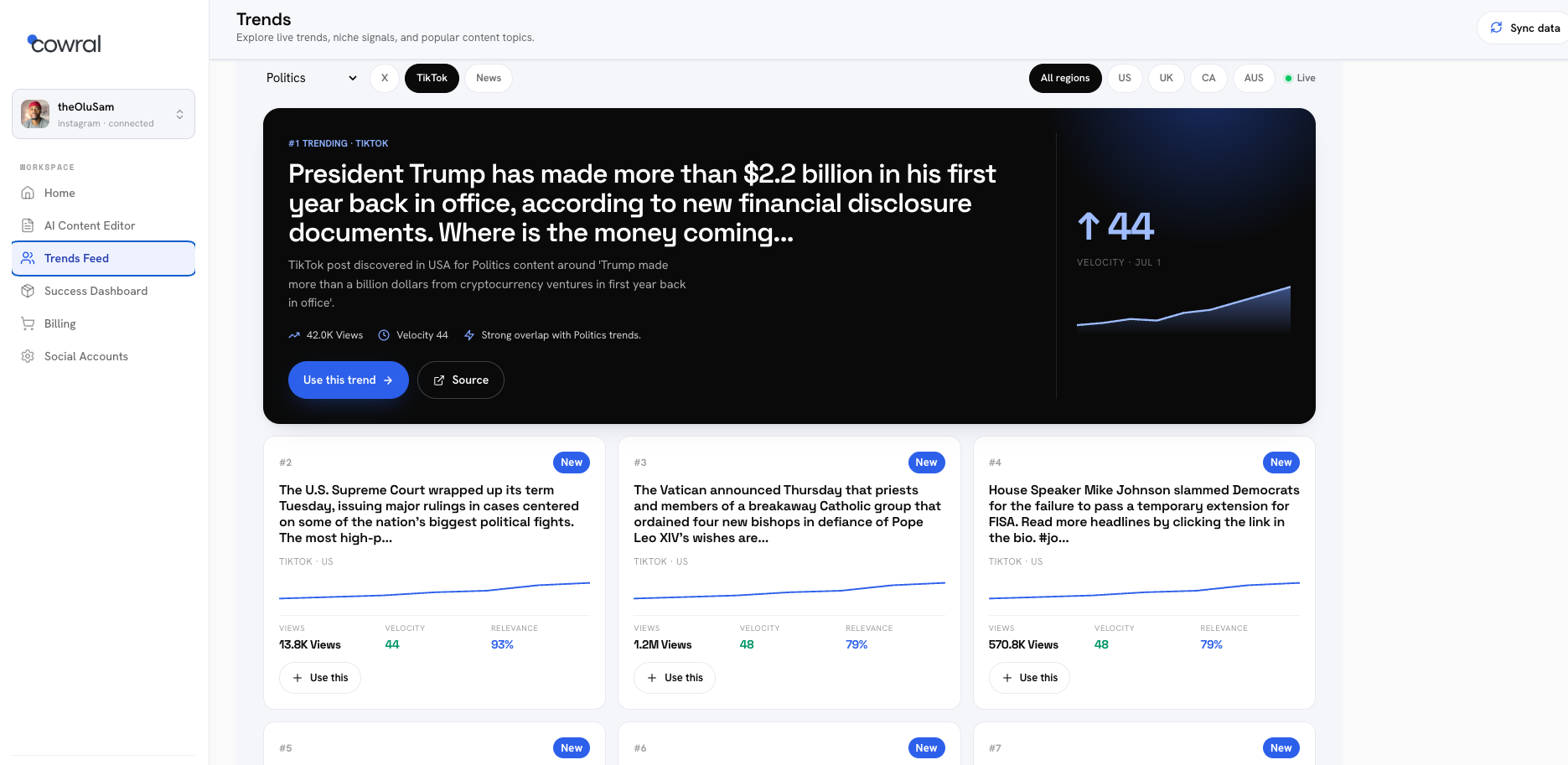
Trend discovery is close to Cowral’s core reason to exist. It watches what is rising inside your specific niche and surfaces those trends before they peak, so you are moving on an angle while it still has room to run instead of after it is already saturated everywhere.
The reason niche-specific matters, and not just “trending in general,” is that timing and topics are not universal. A fitness audience and a gaming audience are online at different hours and care about different things, so a generic trending feed is noise for most creators. A tool that only surfaces what is trending inside your corner is giving you signal you can act on. Cowral is built on that idea. Buffer, by design, is not in this conversation at all.
There is no real comparison to make here, only a decision. If you already know what to post and you just need somewhere to schedule it, this section does not matter to you and Buffer is fine. If “I do not know what is working right now” is the sentence you keep saying, Buffer cannot help with it and Cowral is built specifically for it.
For video creators, the caption is the easy part. The script and the hook are where the hours go. This section splits the two tools cleanly.

Buffer’s AI Assistant is a caption and post-copy writer, and a capable one. Give it a prompt of at least four words and it drafts a post, adjusts tone from casual to formal, shortens or expands, and tailors the same message for different platforms so your LinkedIn version reads professional while your TikTok version stays loose. It runs on OpenAI’s models and, notably, cannot generate images or video, it is text only.
What it does not do is write a video script. There is no hook generator, no spoken-script structure, no “here is your opening line, your body, your close” for a talking-head video or a voiceover. Buffer helps you write what goes around the video, the caption and the copy. The video itself, and the words you say in it, are on you.
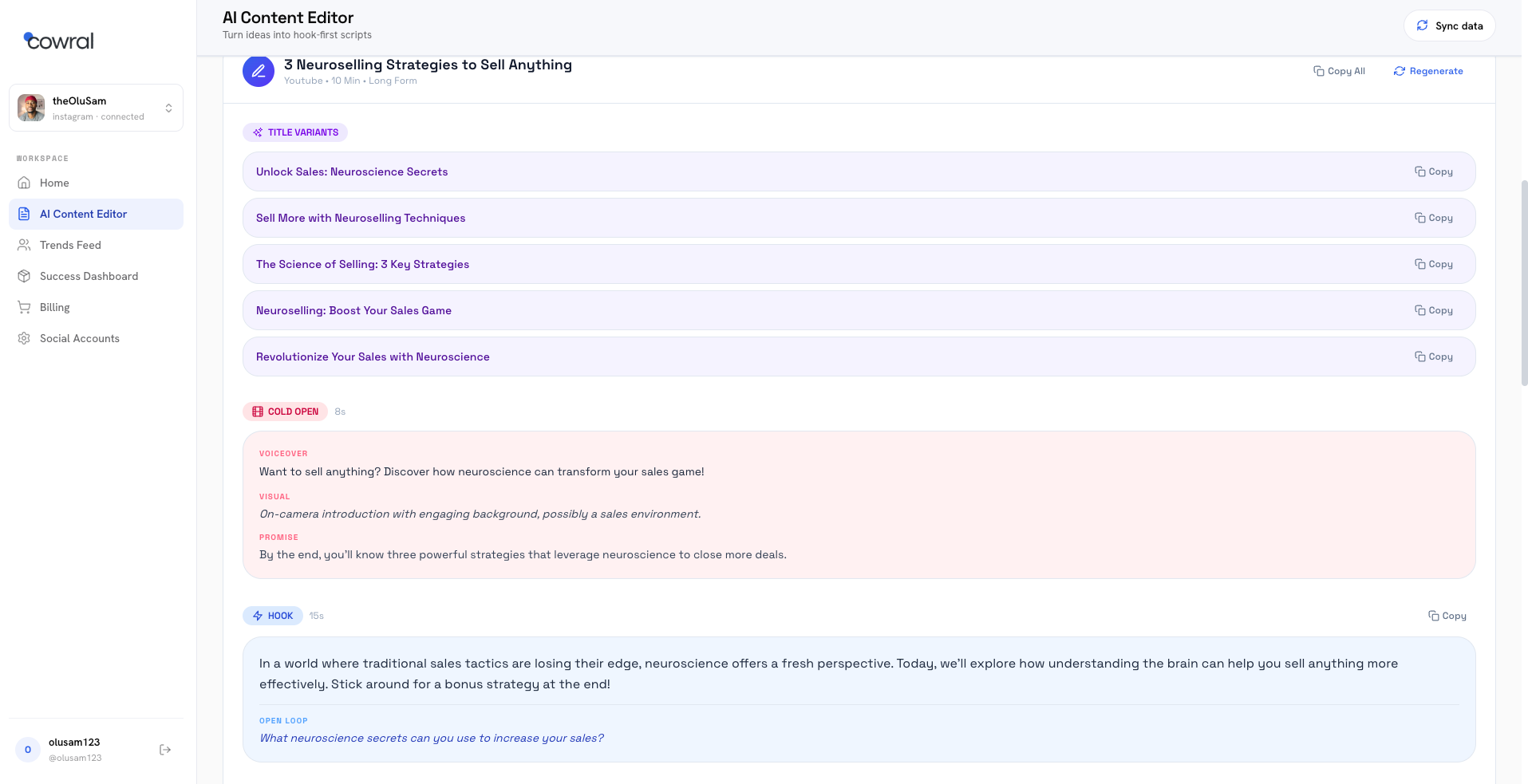
Cowral writes the script. Not just the caption, the actual hook, the body, and the structure of what you say, tuned to how you talk so you are editing two lines instead of rewriting from a blank page. For a creator who posts video, that is the single most time-consuming step, and it is the step Buffer does not touch.
It also does the platform-native rewrite that Buffer does, turning one idea into versions built for each platform’s format rather than the same text pasted five times. So on the “one idea, many platforms” job the two overlap, but Cowral starts a step earlier, at the script, where the real time sink is.
If your videos are already scripted in your head and you only need help with the caption underneath, Buffer’s assistant is free, unlimited, and good enough for a first draft. If you lose hours to the blank page before you ever hit record, script generation in your own voice is the higher-impact tool, and that is Cowral’s home turf.
Here the tables turn completely, and it would be dishonest to pretend otherwise.
Buffer is a scheduler at its heart, and a very good one. It publishes across 12 platforms including TikTok, Instagram, YouTube, LinkedIn, Facebook, and newer networks like Bluesky and Threads. You get a clean monthly calendar, best-time-to-post recommendations, bulk CSV upload, and a link-in-bio Start Page thrown in. It has been doing this since 2010 and the reliability shows. For a creator whose whole problem is “I make the content, I just need to queue it and stop logging into five apps,” Buffer is close to the default answer, and its free plan lets you connect three channels to test it.
The honest caveats live in the pricing and the API, which we cover below, and in a few platform quirks: TikTok scheduling carries some platform-imposed API limitations, and account disconnections show up as a recurring complaint across reviews. But as a publishing engine, Buffer is the stronger tool here by a wide margin.
Cowral is not a scheduler and does not try to be. It is the content engine that runs before the queue: ideas, trends, scripts, platform versions, and growth tracking. Once you know what to make and you have the script, you still take that content to a publishing tool to actually post it on a schedule.
That is not a hidden weakness, it is the product boundary. Cowral is deliberately the “what and why” layer, not the “when and where” layer. Pairing Cowral for the thinking with a scheduler like Buffer for the queue is a completely reasonable stack, and an honest recommendation.
If scheduling is your bottleneck, Buffer wins this outright and you should use it. If your content is already going out fine and the problem is upstream, at what to make and how to write it, scheduling is not the thing you are shopping for, and Cowral’s lack of it does not cost you anything.
Both tools have a real free tier with no credit card, which is rarer than it should be. But they charge for different things, and that shapes the whole decision.
Buffer restructured its pricing in November 2025 into two paid plans plus a free tier, all priced per channel. Per Buffer’s own current pricing and multiple 2026 breakdowns:
The AI Assistant is free and unlimited on every tier, including the free plan, which is genuinely generous. The catch is the per-channel model. Costs scale linearly with every platform you add. Five channels on Essentials is about $25 a month on annual billing. If you post to five platforms across two brands, that is ten channels and the bill climbs fast. Volume discounts kick in above ten channels, but most solo creators never reach that band, so they pay the full per-channel rate.
The free plan’s real limit for a growing creator is the ten-posts-per-channel cap, which works out to roughly two to three posts a week before you need to upgrade.
Cowral is free to start with no card, and its paid pricing is built around the content engine rather than metered per channel. Because Cowral is not charging you per connected platform, adding another platform to your strategy does not add to your bill the way it does on a per-channel scheduler. You are paying for the ideas, trends, scripts, and dashboard, not for each place you eventually post.
For current plan details, check Cowral’s site directly, since pricing on both products moves and you want the live number, not a number from a blog.
If all you need is scheduling plus light AI writing help, Buffer’s free tier is one of the most usable in the category and its AI costs nothing. The moment you are posting seriously across several platforms, the per-channel math is the thing to watch. Cowral’s model does not punish you for being multi-platform, which is the whole audience it is built for, so if breadth is your strategy, the pricing shapes point in different directions.
The pro version is $19/month.
Neither tool is the right answer for every creator, because they are not competing for the same job. The decision comes down to where your week actually breaks.
Choose Buffer Create if:
Buffer Create might be a poor fit if:
Choose Cowral if:
Cowral might be a poor fit if:
The cleanest way to think about this: Buffer Create answers where and when do I post, and Cowral answers what should I post and how do I write it. They sit at different points in the same workflow. A lot of creators would be well served running both, Cowral to decide and script, a scheduler to queue.
But if you are a video creator and the sentence that keeps stopping you is “I do not know what to make,” or “I am spending more time deciding and writing than filming,” that is not a scheduling problem and a scheduler will not fix it. That is the exact gap Cowral was built to close.
Tool or no tool, the point stands: the creators who grow in 2026 are not the ones posting the most, they are the ones who consistently pick the right thing to make before the window closes. See what Cowral surfaces for your niche, free, no card.
Not exactly. Buffer schedules and publishes your posts across platforms and helps write captions. Cowral generates ideas, surfaces niche trends, and writes video scripts, but does not schedule posts. Many creators use both: Cowral to decide and write, a scheduler to publish.
No. Buffer’s AI Assistant writes captions and post copy and can adjust tone and length, but it does not write spoken video scripts or hooks, and it cannot generate images or video. Cowral is built to write the full script for a video.
No. Buffer has no trend discovery, viral-content detection, or niche monitoring, and its analytics only cover your own posts. You bring the ideas to Buffer. Cowral is built around surfacing rising trends inside your specific niche.
Both handle multi-platform, but differently. Buffer publishes to all of them and creates tone variations of your caption. Cowral turns one idea into platform-native versions at the script level and is priced without per-channel fees, which suits creators posting across several platforms at once.
Yes, both offer a free tier with no credit card. Buffer’s free plan includes 3 channels, 10 scheduled posts per channel, 100 content ideas, and unlimited AI Assistant use. Cowral’s free tier lets you try the idea generator, scripts, and dashboard. Check each site for current limits.
Buffer charges per channel, so costs climb as you connect more platforms, roughly $5 to $6 per channel per month on Essentials, before volume discounts that only start above 10 channels. Cowral is not priced per channel, so adding platforms to your strategy does not directly raise the bill.

Olu Sam is an SEO expert and social media content creator who built over 50K followers across his social media pages in less than a year of creating content.
LinkedIn ProfileHow we research and fact-check TikTokFood creators on TikTok in 2026: how to grow a recipe account people actually cook fromA 2026 playbook for food creators on TikTok, covering what the Creator Rewards Program pays for, hooks and captions that work for recipes,...
 YouTubeTech YouTube in 2026: a channel strategy for small creators who review, explain and buildHow to grow a small tech YouTube channel in 2026, from picking a buyer instead of a gadget and writing titles that don't get cut off to the...
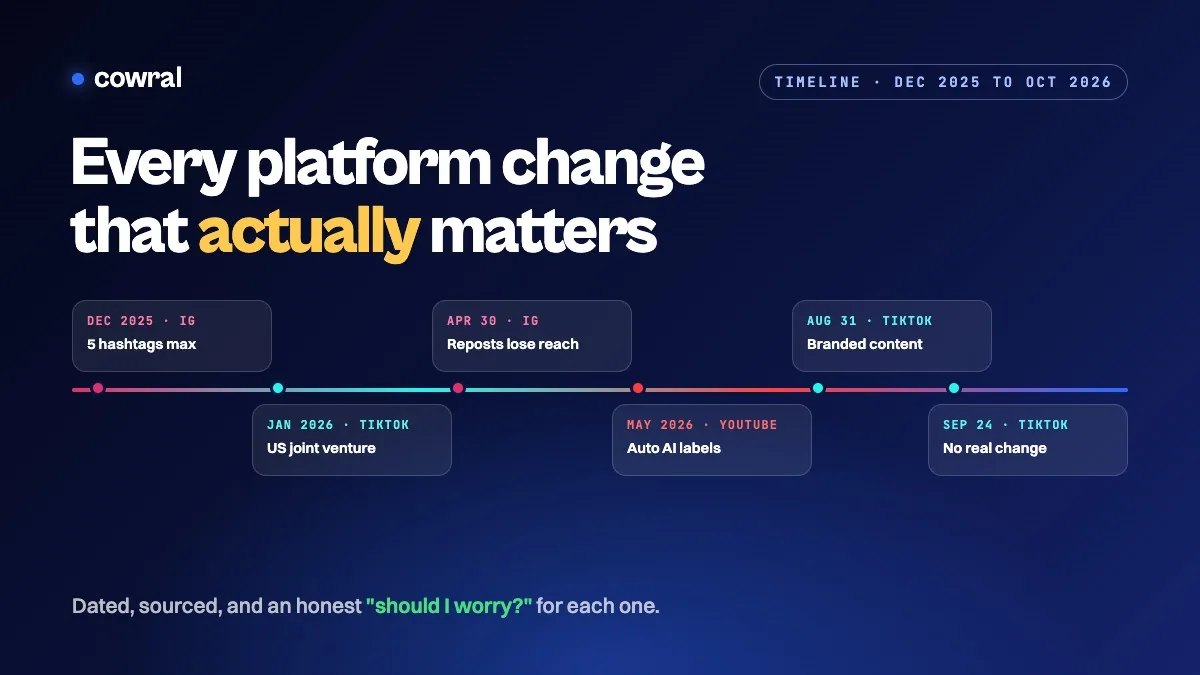 InstagramAlgorithm and policy changes creators need to know in 2026: a dated timelineEvery TikTok, Instagram and YouTube change that actually matters for creators in 2026, in date order, with sources, what each one means for...