Skip to content
cowral
How it worksPricing
Log inStart free
cowral
How it worksPricing
Log inStart free

Content creation

⟳Cross-post Remixer✂AI Clipper✦Hook Generator¶Caption Fit Checker✧AI Script Writerin app

SEO & research

◎YouTube Title Analyzer#Tag & Hashtag Generator@Channel Name Generator$Creator Money Calculator◷Best Time to Post✧AI Description Writerin app

Thumbnails

↓Thumbnail Downloader⤢Thumbnail Resizer✧Niche Trend Radarin app
⟳

Cross-post Remixer

One idea in, five native posts out.

Free, runs in your browser, no signup.

11 free tools. Zero signups. Your files never leave your browser.Open the Viral Lab →
☰Creator guidesStep by step playbooks for each platform.?Help centerHow to use every part of Cowral.✉Contact supportStuck? A real human answers.✎BlogHonest growth breakdowns, no guru stuff.◎AboutWe built the tool we wished we had.
cowral
Log inStart free
How it worksPricingCreator guidesHelp centerBlog
cowral

The AI content engine for creators who are done leaving growth to chance.

Free hooks in your feed, daily.We post what we preach. Steal our formats.
TikTokInstagramLinkedIn

Product

How it worksHook testSuccess DashboardPricingLog in

Free tools

Cross-post RemixerAI ClipperHook GeneratorCaption Fit CheckerYouTube Title AnalyzerTag & Hashtag GeneratorChannel Name GeneratorCreator Money CalculatorBest Time to PostThumbnail DownloaderThumbnail Resizer

Content

BlogCreator guidesCowral vs other toolsBest time to post guideCreator rules tracker

Company

AboutContact supportHelp centerAffiliate program

Legal

Privacy policyTerms of serviceCookie policy
© 2026 Cowral. All rights reserved.Made for people who post.
Blog/TikTok

TikTok Creator Search Insights: how to find what people search for and turn it into videos

Creator Search Insights is TikTok's own tool for seeing what people search for, including topics that don't have many videos yet.
Olu SamOctober 29, 2026·7 min read
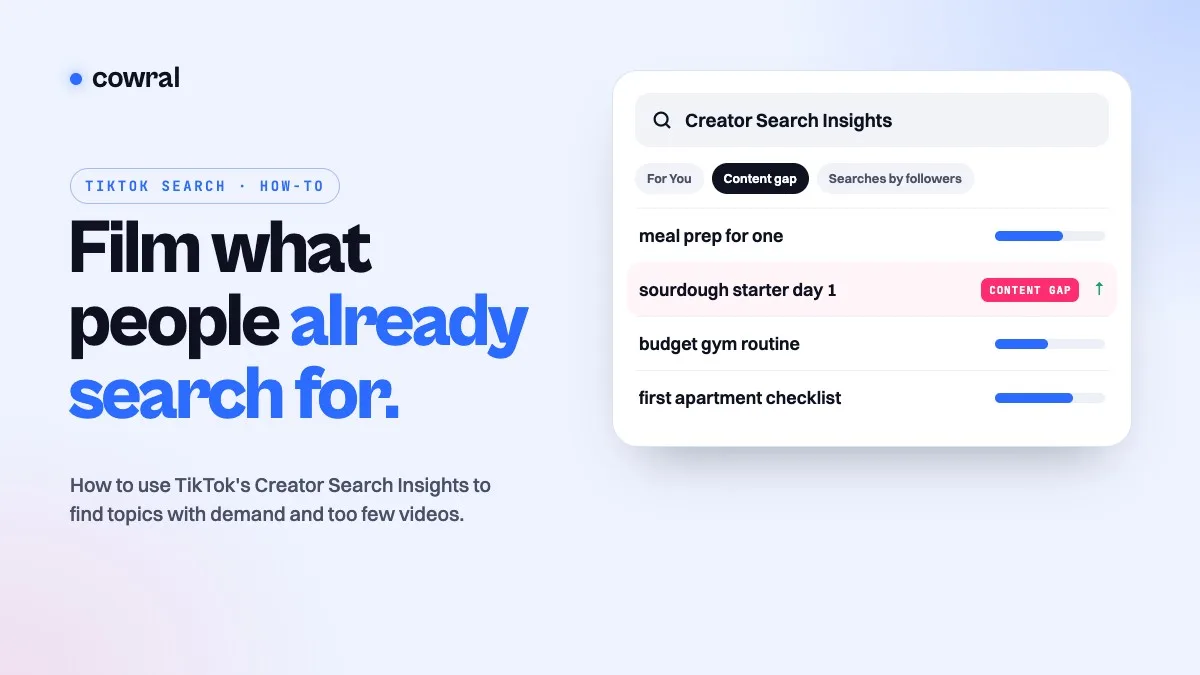
A TikTok search bar reading Creator Search Insights above topic rows, one tagged Content gap with a rising arrow
On this page
  1. 01What Creator Search Insights is
  2. 02How to open it
  3. 03What you’ll find inside
  4. 04What TikTok doesn’t promise
  5. 05How to turn a topic into a video
  6. 06Where Creator Search Insights fits with other idea sources
  7. 07Frequently asked questions
Free creator toolsHooks, captions, titles and the best time to post. No signup.Try them →

Most video ideas start as a guess. You think your audience might care about something, you film it, and the numbers tell you a week later whether you were right.

TikTok has a tool that takes some of the guessing out. It’s called Creator Search Insights, and it shows you what people are actually typing into TikTok’s search bar, including topics that lots of people search for but few creators have made videos about. It’s free and built into the app, and plenty of creators have never opened it.

This guide covers how to find it, what each part of it shows you, what TikTok does and doesn’t promise about it, and a practical way to turn a topic into a video.

Key takeaways

  • Creator Search Insights shows topics people search for on TikTok, personalized to you, plus topics that may be lacking in content.
  • Open it by searching “Creator Search Insights” in the TikTok app and tapping View.
  • The Content gap filter shows topics people search for often that don’t appear in many videos. Searches by followers needs more than 1,000 followers.
  • Some topics are AI-generated, and TikTok says it can’t guarantee they’re accurate, so check a topic before you build a video on it.
  • The tool also has search analytics, including an Inspired posts view for videos you made from its topics.

What Creator Search Insights is

TikTok’s help center describes it as personalized information about what people search for on TikTok. You can use it to make videos based on popular searches and then track how those videos perform in search.

TikTok launched it in March 2024. In the announcement, it said the tool was available in select regions, so if you can’t find it, it may not be offered where your account is registered yet.
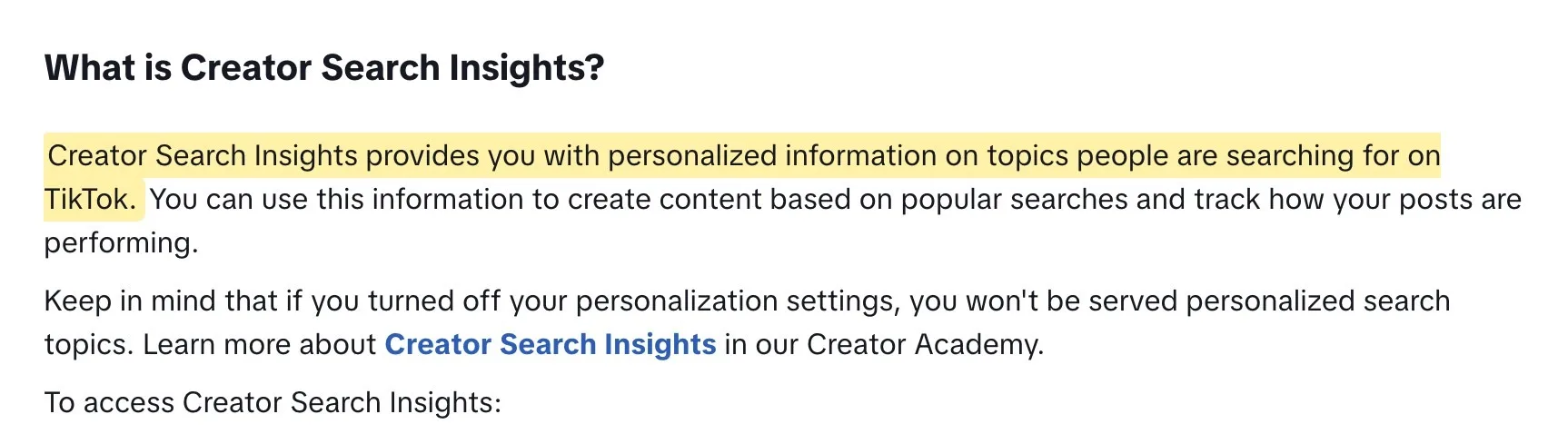
TikTok's help center description of Creator Search Insights as personalized search topics, highlighted
Source: TikTok Help Center, Creator Search Insights. Highlight added by Cowral.

Search matters on TikTok even when the For You feed is quiet. TikTok’s own For You feed standards point out that people can still find a video through search or by visiting the creator’s profile. A video that answers something people are searching for has a second way to be found.

How to open it

TikTok’s steps are simple:

  1. Open the TikTok app and tap Search at the top of the screen.
  2. Type “Creator Search Insights” into the search bar.
  3. Tap View, which appears at the top of the results.

One setting can change what you see. TikTok says that if you’ve turned off personalization, you won’t get personalized search topics. If the topics look random, check that first.

What you’ll find inside

Topics and filters

The main screen is a list of topics people search for. TikTok’s help center says you can narrow the list with filters, including Content gap and Searches by followers, or type into the tool’s search bar to look up something specific.
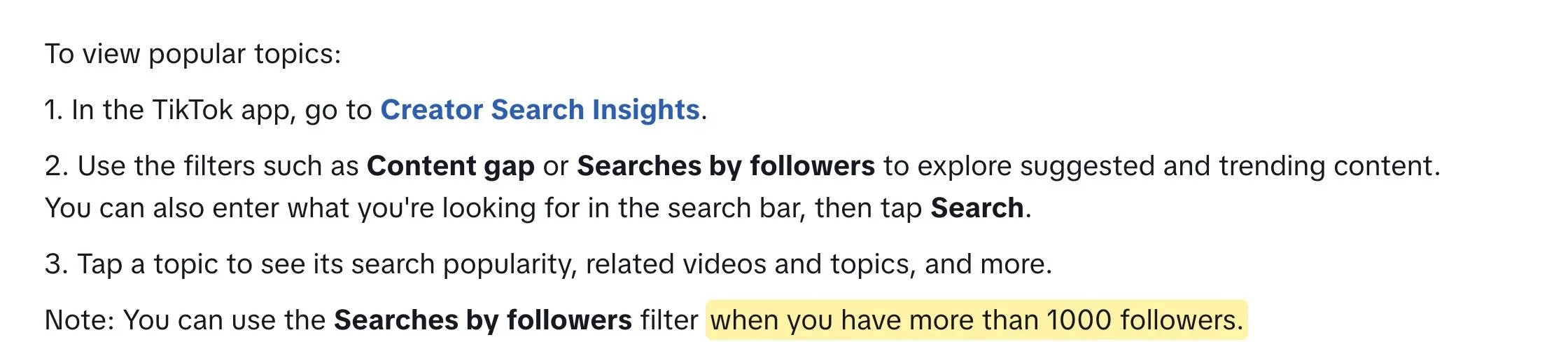
  • Content gap. TikTok describes these as topics that “are searched for often, but aren’t featured in a large number of videos.” This is usually the most useful filter, because it points to demand that isn’t being met yet.
  • Searches by followers. Topics your own followers are searching for. You can only use this filter once you have more than 1,000 followers.
  • Categories and For You. When TikTok launched the tool, it said you could sort topics by category (its examples were tourism, sports and science) or by For You, meaning topics related to the kind of content you make.
TikTok's help center listing the Content gap and Searches by followers filters, and the note that Searches by followers needs more than 1000 followers, highlighted
Source: TikTok Help Center, Creator Search Insights. Highlight added by Cowral.

The topic page

Tapping a topic opens its page, with how popular it is in search plus the videos and topics connected to it. The related videos are the part to study. They show you what already exists for that search, which is how you find the angle that’s missing.

At launch, TikTok also said you’d see a popularity score or a Recommended Topic label next to some terms, and described those topics as having high potential for engagement. Treat that as a signal of interest, not a promise of views.

Favorites and the profile banner

You can save topics with the Favorites button and see them all later from the Favorites button at the top of the tool. TikTok also says topics from Creator Search Insights can show up in your profile banner as extra inspiration.

Search analytics

Inside the tool, tap Analytics to see how your posts perform in search. All posts shows your overall search performance. Inspired posts shows only the videos you made from Creator Search Insights topics, which is the quickest way to tell whether the topics you picked are paying off.

What TikTok doesn’t promise

Creator Search Insights is useful, but it comes with limits TikTok states itself.

Some topics are written by AI

TikTok’s help center says some topics are AI-generated, that AI “might misinterpret topics or generate factually incorrect or misleading topics”, and that TikTok can’t guarantee their accuracy. Before you build a video on a topic, search it in TikTok yourself and make sure it means what you think it means.

TikTok's help center warning that some Creator Search Insights topics are AI-generated and that TikTok cannot guarantee their accuracy, highlighted
Source: TikTok Help Center, Creator Search Insights. Highlight added by Cowral.

A few other things to keep in mind:

  • A content gap isn’t guaranteed views. It means people search for something and there aren’t many videos about it. Your video still has to be good enough that people watch it.
  • The money link isn’t spelled out today. TikTok’s 2024 launch post said search value would factor into the Creator Rewards Program. The program’s current Creator Academy page, updated in September 2026, lists its requirements (original content over 1 minute, at least 1,000 For You feed views and more) but doesn’t explain how search affects rewards. Don’t make videos for a payout formula you can’t see.
  • Popular isn’t the same as right for you. A trending search outside your niche can bring views from people who’ll never come back. The best topics are the ones your audience would search for.

How to turn a topic into a video

Here’s a simple routine for going from a topic to a finished video.

  1. Start from your niche, not the trending list. Type your niche or a core topic into the tool’s search bar and turn on the Content gap filter. If you’re not sure what your niche is yet, our guide to finding your TikTok niche uses this same tool in its demand check.
  2. Open the topic and watch what’s already there. Look at the related videos. Is the gap a missing format (nobody has done a step-by-step), a missing audience (nothing for beginners) or missing freshness (everything is from years ago)?
  3. Check the topic is real. Search it in TikTok’s normal search bar. If the results don’t match what you’d expect, skip it, since some topics are AI-generated.
  4. Answer the search in the first seconds. Someone who searched “how to start a sourdough starter” wants that answer fast. Open with the payoff, and say the topic out loud and in your on-screen text so it’s obvious what the video covers.
  5. Use the words people search in your caption. Write the caption the way the topic is phrased, in plain language, instead of a vague one-liner.
  6. Check Inspired posts after a week or two. Compare your search-inspired videos with your usual ones in the tool’s analytics, then do more of what’s working.

Writing the opening is where most search videos win or lose. Our free hook generator gives you 10 openers for any topic, and the tag and hashtag generator turns a keyword into hashtag sets for TikTok and the other apps.
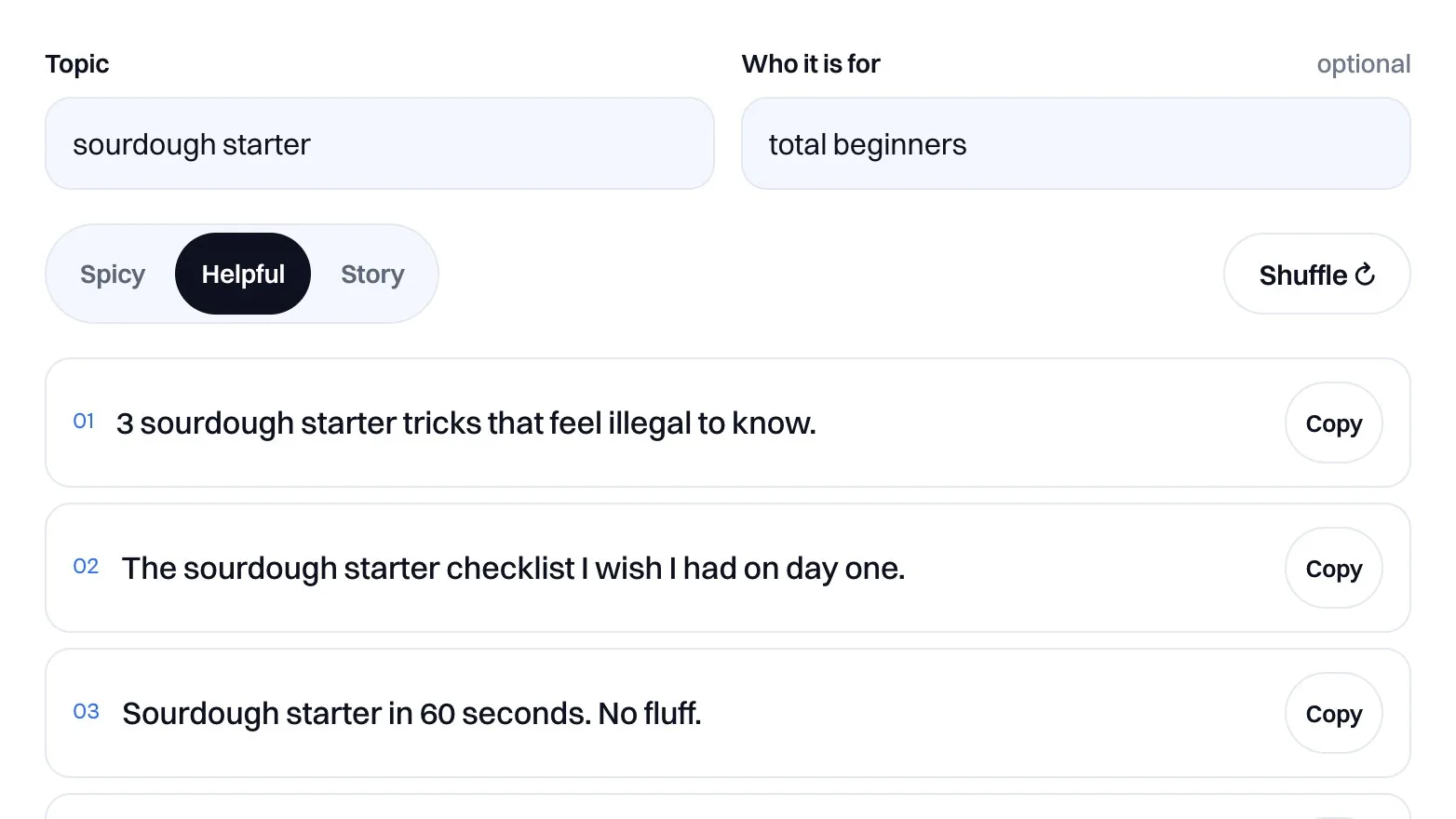
Cowral's free hook generator showing hook ideas for a topic, for TikTok, Reels and Shorts
Cowral’s free hook generator gives you 10 ways to open a video on any topic.

Where Creator Search Insights fits with other idea sources

Creator Search Insights is strongest for one job: showing what TikTok users are searching for right now. It’s narrower than it looks for a few others.

  • It doesn’t tell you what’s working for other creators in your niche, beyond the related videos for a topic.
  • It’s TikTok only. If you also post Reels or Shorts, search behavior there can be different.
  • It won’t tell you whether a topic fits your skills, your schedule or what your audience already likes about you.

That’s why it works best alongside a couple of other sources. Inside Cowral, the Trending tab shows trending ideas in your niche, and Insights compares how your videos do against your own usual results, so you can see whether a search-led video beat your usual numbers. For how TikTok’s recommendations work in general, our breakdown of the TikTok algorithm in 2026 covers what changed this year.

Frequently asked questions

Why can’t I find Creator Search Insights?

Type “Creator Search Insights” into TikTok’s search bar, then tap View in the results. When TikTok launched it in 2024, it said the tool was available in select regions, so it may not be offered where your account is registered. If you can open it but the topics seem random, check whether personalization is turned off.

Is Creator Search Insights free?

Yes. It’s built into the TikTok app, and TikTok doesn’t charge for it.

What does “content gap” mean on TikTok?

TikTok uses it for topics people search for a lot that don’t have many videos yet. In other words, searches that aren’t being answered well.

Do I need 1,000 followers to use it?

Not for most of it. The only follower requirement TikTok lists is for the Searches by followers filter, which needs more than 1,000 followers.

Does making videos from Creator Search Insights topics earn more money?

TikTok hasn’t said so in its current program rules. Its 2024 launch post said search value would factor into the Creator Rewards Program, but the program page it updated in September 2026 doesn’t explain how search affects payouts. Use the tool to find ideas people want, not to chase a formula.

Olu Sam
Olu Sam

Olu Sam is an SEO expert and social media content creator who built over 50K followers across his social media pages in less than a year of creating content.

LinkedIn ProfileHow we research and fact-check
Plan your viral week with Cowral

Trends before they peak, hook-first scripts for every platform, and the right time to post. Free plan, no card.

Start free

Keep reading

One video fanned out to TikTok, Instagram Reels and YouTube Shorts phones, with a clean export check and a crossed-out watermarkTikTokHow to cross-post to TikTok, Reels and Shorts in 2026 without getting held backPosting your own video on TikTok, Instagram and YouTube is allowed on all three. What gets held back is watermarks, other people's content...October 29, 2026Cover: a $2,500 brand deal with no tax withheld split into money to spend and money set aside for taxes, the four 2026 estimated tax due dates, and the 15.3% self-employment tax rateMonetizationTaxes for content creators in 2026: what US creators owe, when to pay, and what you can deductBrand deals, ad revenue, affiliate commissions and free products are all taxable. Here's how self-employment tax works, the 2026 quarterly...October 25, 2026Cowral affiliate program cover: a referral link, a video caption saying "I earn a commission if you upgrade through my link", and 12 monthly bars adding up to about $65 for one Pro customerMonetizationCowral's affiliate program: earn 30% for a year, and how to disclose your link the way the FTC wantsCowral now pays creators 30% of every payment for a referred customer's first 12 months, and your audience gets 20% off.October 21, 2026